Site Essentials
The foundational visual identity and accessibility of the event website.
In this page
November 21st, 2025
Overview
Client‐ready Website Presence
This section guides travel advisors through three critical setup tasks:.
- Selecting an appropriate theme that aligns with the event type
- Uploading a main image that serves as the first impression for travelers
- Configuring a memorable custom URL that provides access to the event site
Each card within Site Essentials operates as a self-contained workspace. Advisors can preview theme options, upload and replace imagery, and customize URLs without leaving the dashboard context.
COMPLETE
November 21st, 2025
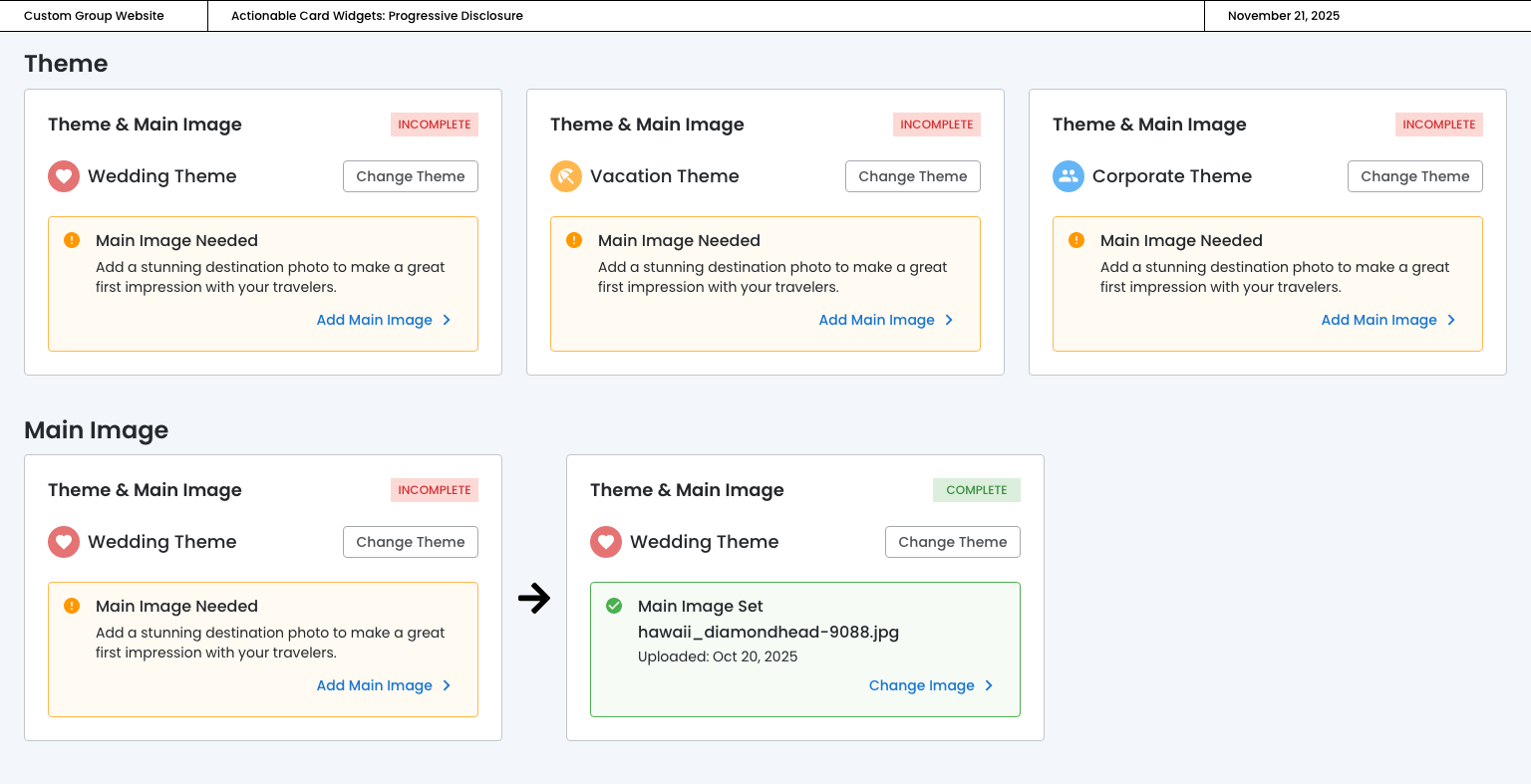
Theme & Main Image
Opens the Preview & Edit interface where users can select themes and upload images in context.
Annotations

Theme & Main Image
November 21st, 2025
Page Content Status
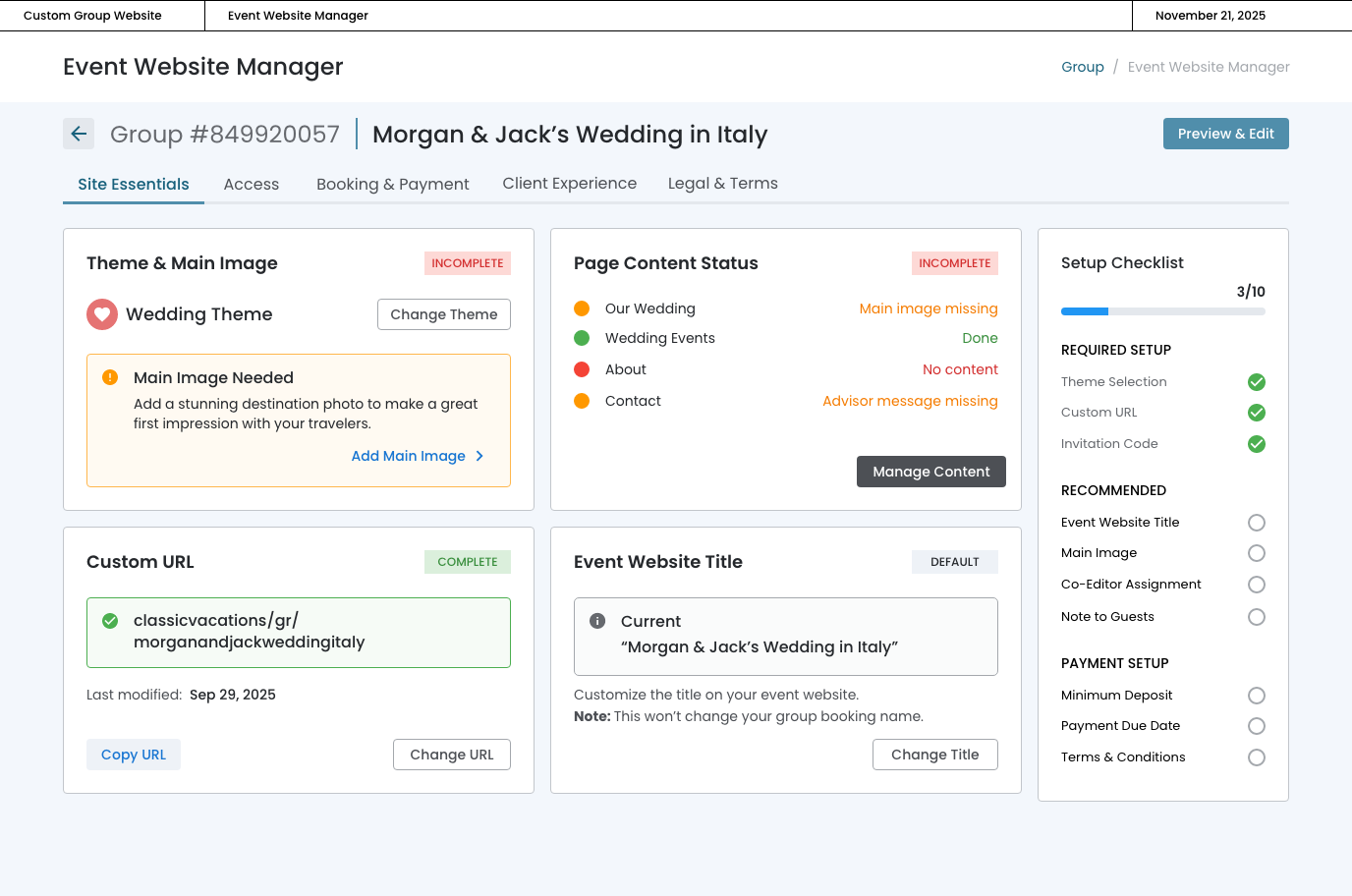
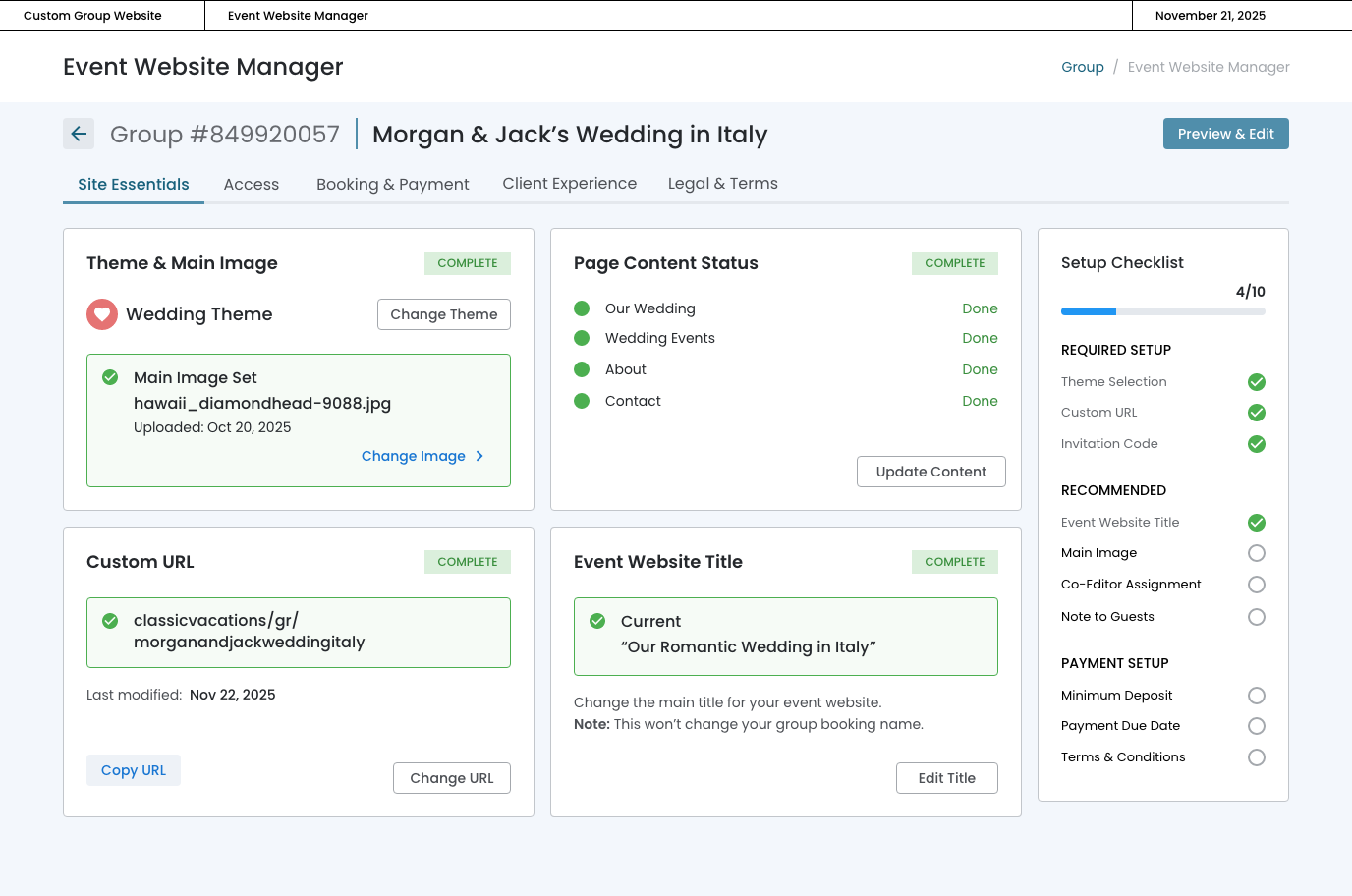
The Page Content Status card provides an at-a-glance health check of the four primary content pages on the event website: Our Wedding, Wedding Events, About, and Contact.
Annotations
The "Manage Content" button opens the Preview & Edit interface where advisors can address flagged issues across all pages in one focused session, streamlining the content creation workflow.
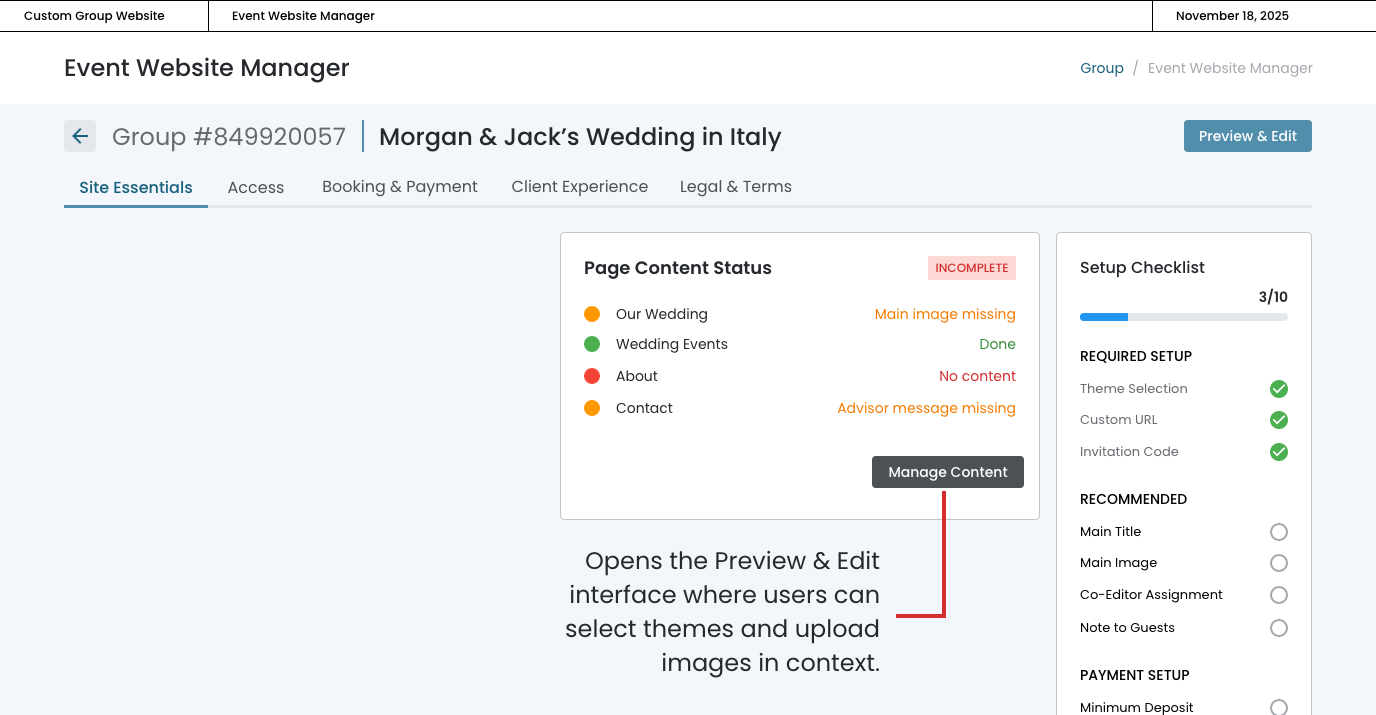
Page Content Status
Rather than requiring advisors to navigate through each page individually to assess completeness, this card consolidates all content readiness information in a single view.

November 21st, 2025
Custom URL
Although the url was set in the user onboarding workflow, the advisor can change the url from this card.
Progressive Disclosure

November 21st, 2025
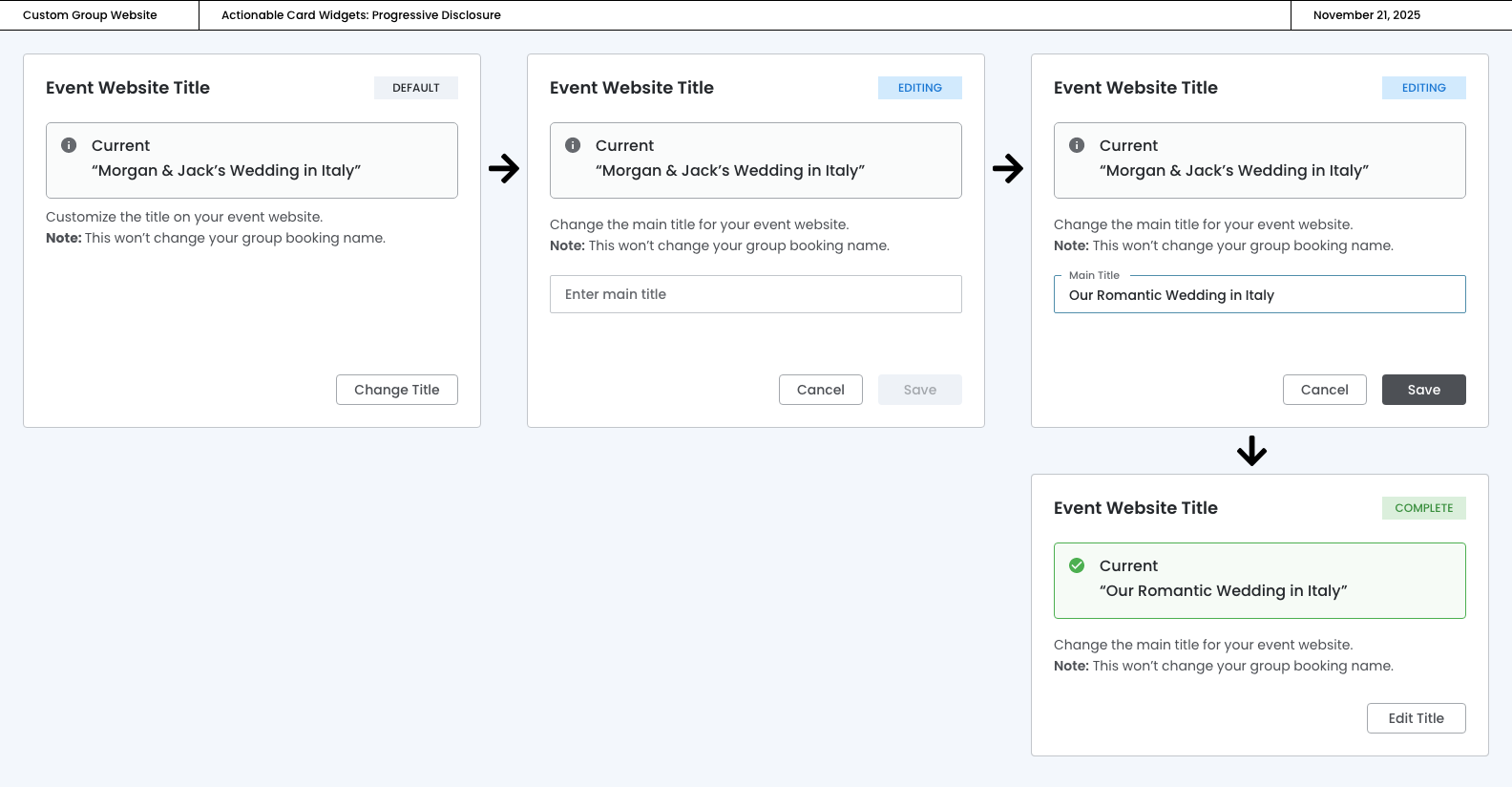
Event Website Title
The event website will inherit the name of the group, but the advisor can change the main title from this card.
Progressive Disclosure