Activation Gateway
Celebratory milestone moment that guides users seamlessly into their next steps.
In this page
November 7th, 2025
Loading/Processing Modal
Appears immediately when users click "Activate Website" and displays a spinner with the message "Activating Your Website..." This non‐dismissible state prevents users from navigating away or attempting duplicate activations while the system creates their event website.
Essential
- Prevents User Confusion ‐ Without it, there's a jarring gap between clicking the button and seeing results.
- Manages Expectations ‐ Users know something is happening and should wait.
- Professional Feel ‐ Shows the system is working, not frozen or broken.
- Sets Up Transitions ‐ Creates a smooth flow: Action → Processing → Result.
Key Features
- Clean spinner animation
- Simple, reassuring message
- No buttons or close option (non‐dismissible)
- Automatically transitions to success or failuren

November 7th, 2025
Success Modal
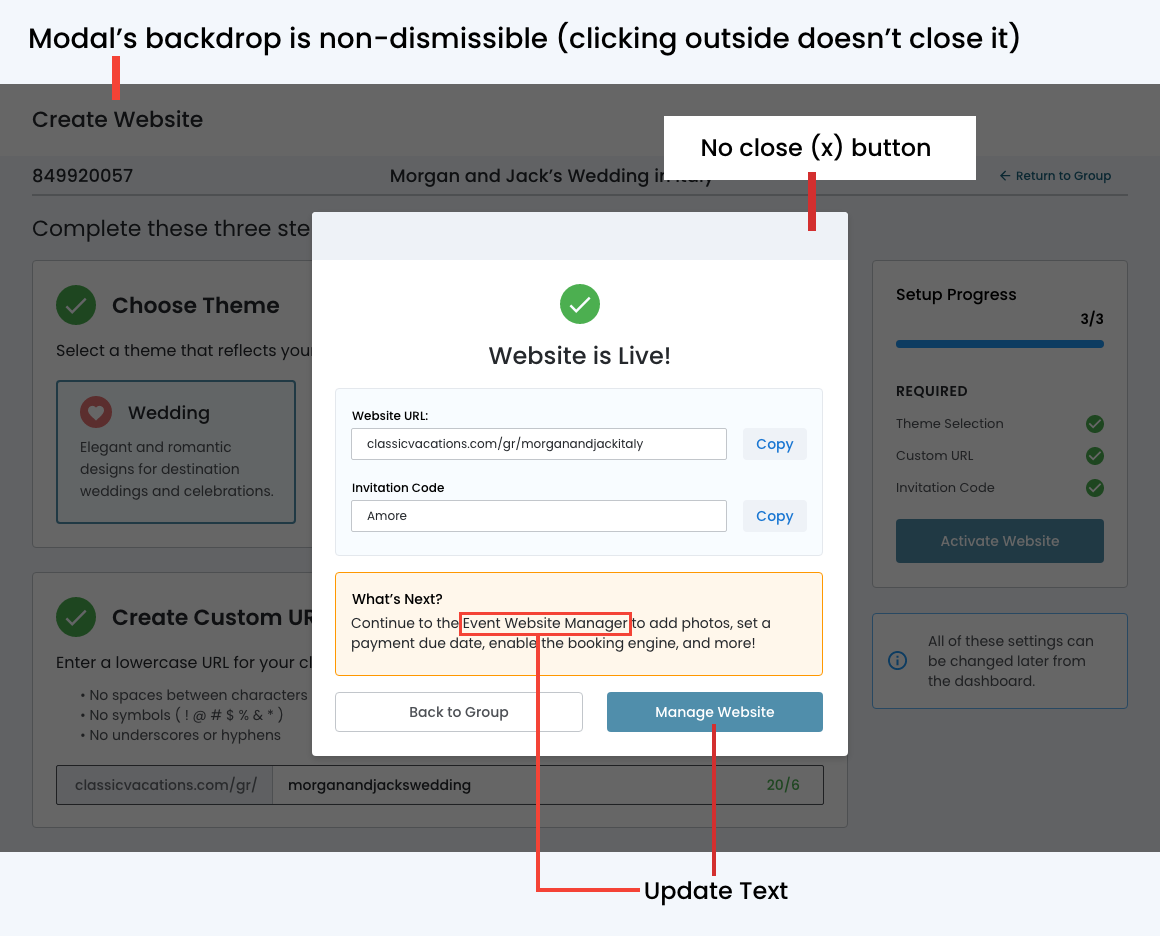
Creates a sense of accomplishment while providing clear direction for what comes next. Balances celebration with practicality, giving users immediate access to the key information they need to share their website.
- Info architecture ‐ Labeled sections and visual distinction between types of data.
- Enhanced usability ‐ Action buttons, and a "What's Next?" guidance section.
- Clear intent ‐ The two buttons provide all the navigation options the user needs.
- Modal's backdrop ‐ non-dismissible (clicking outside doesn't close it)
November 7th, 2025
Error Modal
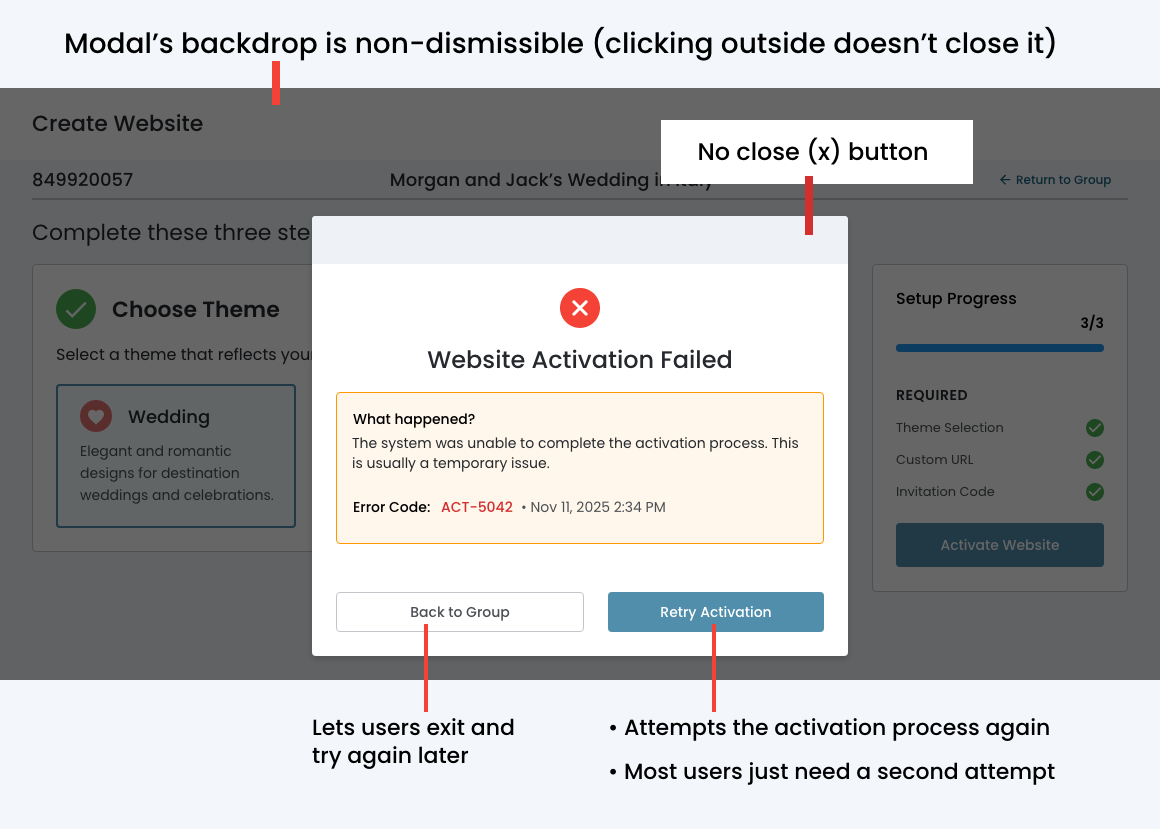
Appears if the website activation fails for any reason, displaying a clear red X icon and the heading ""Website Activation Failed." It includes a brief explanation of what happened, along with a unique error code and timestamp that support teams can reference for troubleshooting.
Key Features
- Clear Error Indication ‐ Red/warning icon instead of green checkmark.
- Honest Messaging ‐ "Website Activation Failed"
- Helpful Context ‐ Brief explanation like "We encountered an issue while creating your website".
- Error Reference ‐ Include an error code or timestamp for support purposes.
- Clear Actions ‐ Give users a path forward.