Editor Framework
The foundational architecture that enables efficient, intuitive editing for Travel Advisors and Co‐Editors
In this page
December 13th, 2025
Foundational Interface
Role‐Appropriate Access
The Editor Framework is the structural foundation of the Event Website Editor ‐ the interface that users interact with from the moment they enter until they exit. It orients them with clear role identification, device preview options, and intuitive navigation ‐ eliminating confusion and enabling them to start editing with confidence.
What the Framework Includes:
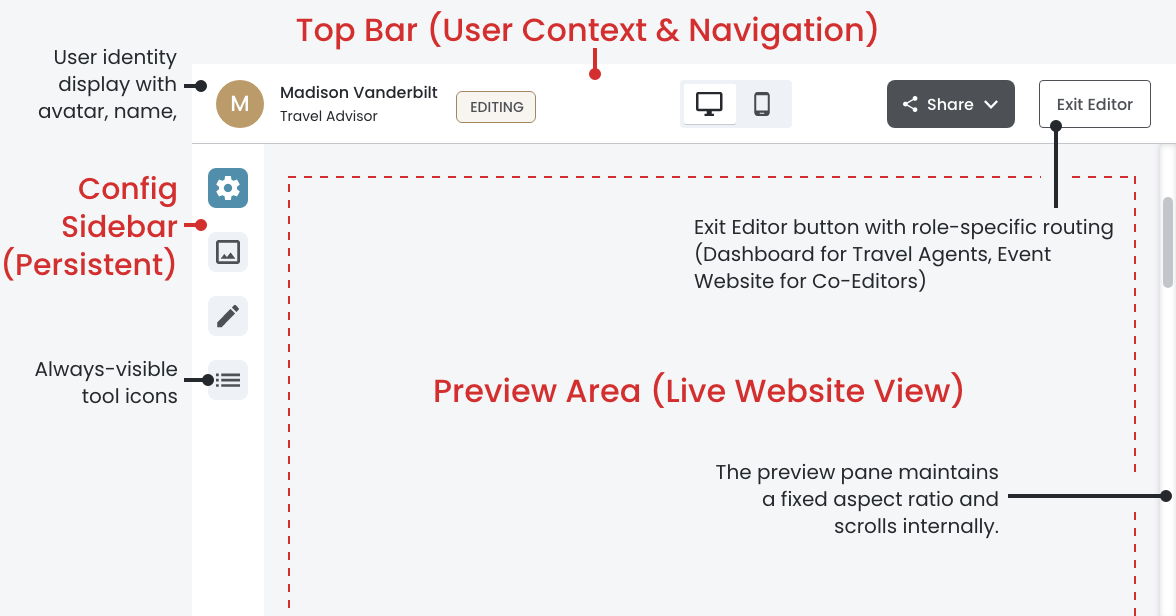
Top Bar ‐ User Context & Navigation:
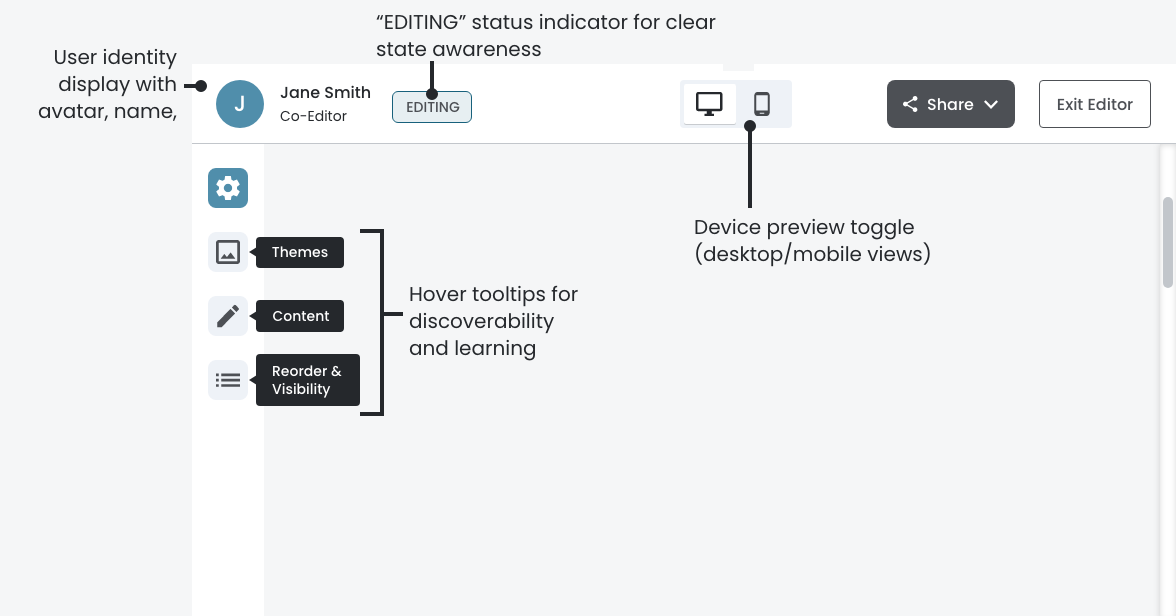
- User identity display with avatar, name, and role (Travel Advisor or Co-Editor)
- "EDITING" status indicator for clear state awareness
- Device preview toggle (desktop/mobile views)
- Exit Editor button with role‐specific routing
Configuration Sidebar ‐ Persistent Navigation:
- Always‐visible tool icons
- "EDITING" status indicator for clear state awarenes
- Hover tooltips for discoverability and learning
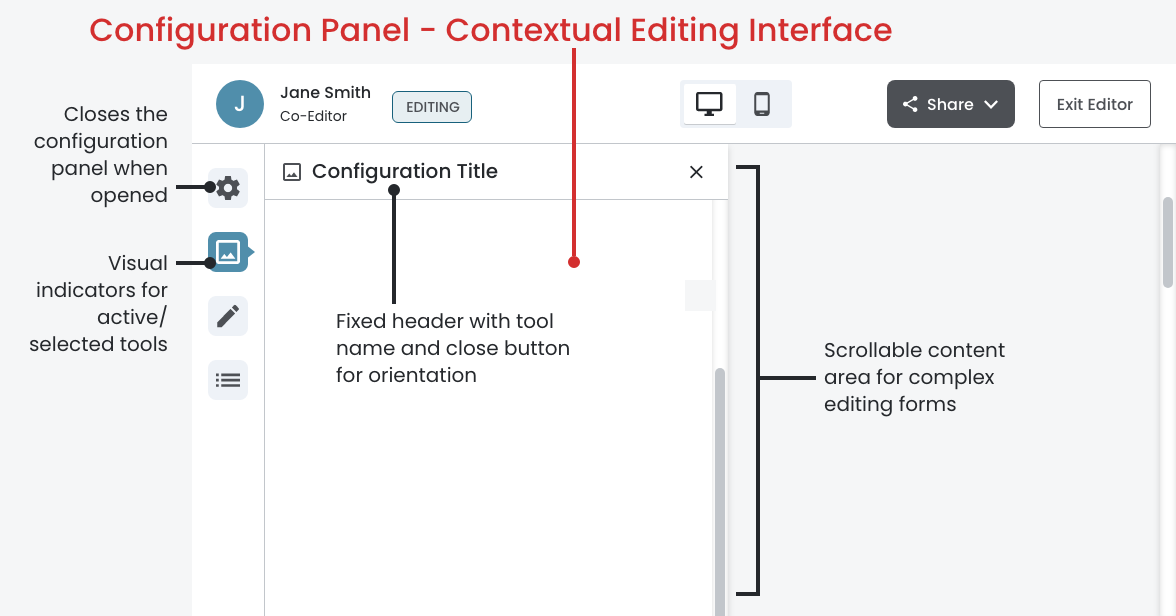
- Visual indicators for active/selected tools
Configuration Panel ‐ Contextual Editing Interface
- 464px fixed‐width panel that slides in when tools are selected
- Fixed header with tool name and close button for orientation
- Scrollable content area for complex editing forms
- Single‐panel system prevents confusion (one tool active at a time)
Preview Area ‐ Live Website View
- Real‐time preview of the event website
- Responsive resizing when configuration panel opens/closes
- Always visible alongside editing controls
- Supports both desktop and mobile preview modes