Access
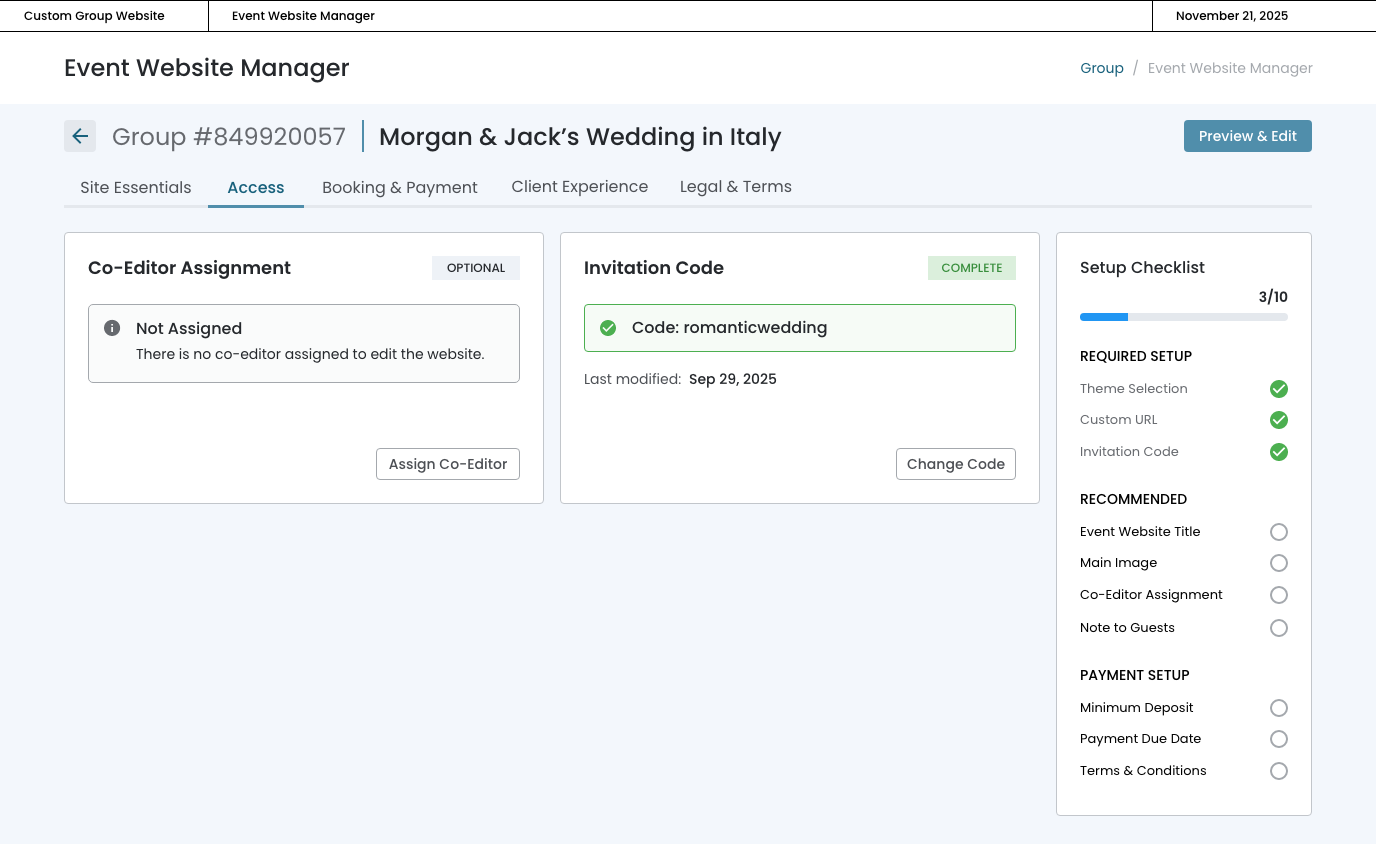
Controls who can view and edit the event website, balancing security with collaboration.
In this page
November 19th, 2025
Overview
Prioritizing Ease of Use
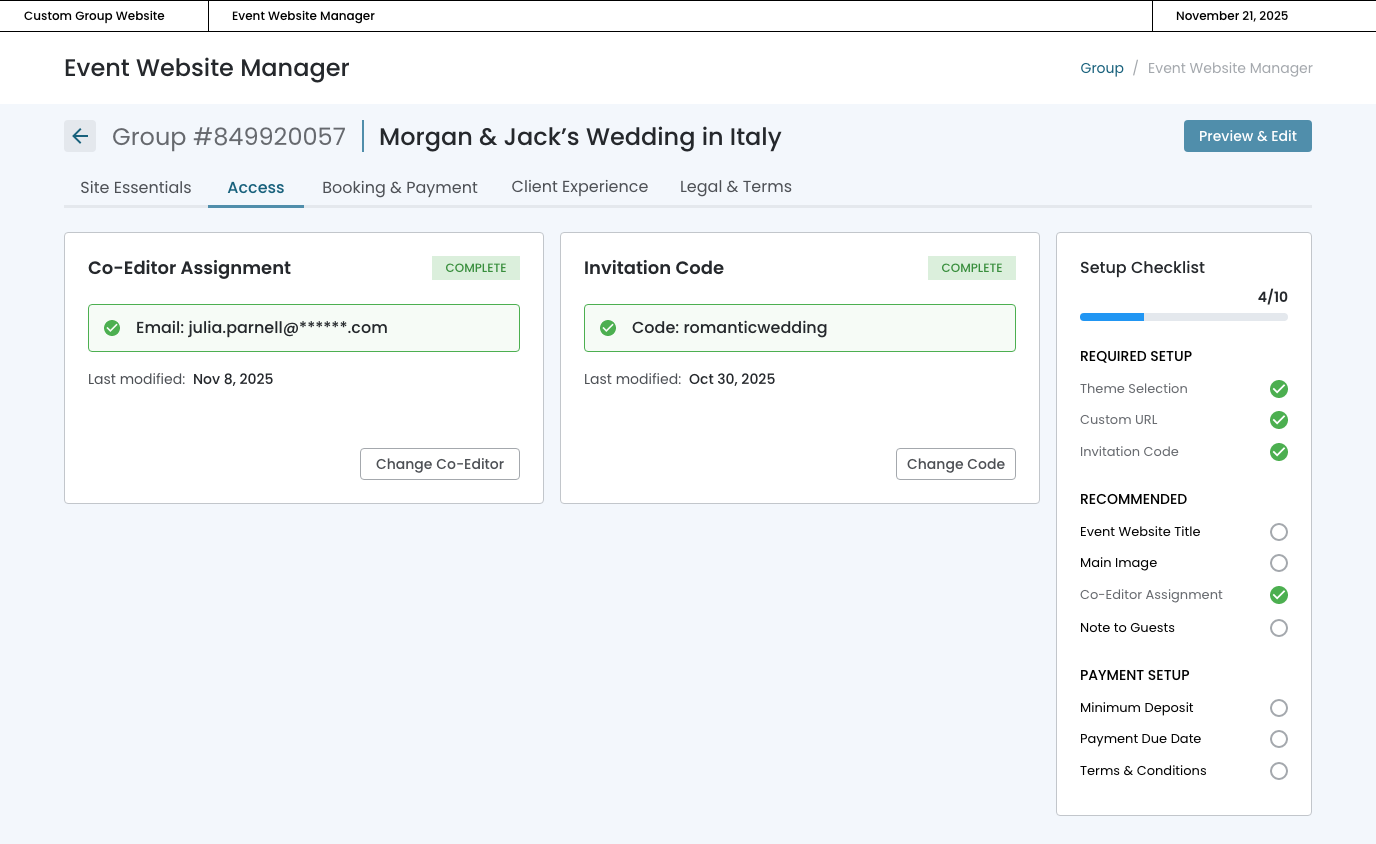
By consolidating access controls into two focused, actionable cards, advisors can quickly secure their event websites while enabling collaboration without navigating complex permission settings or user management interfaces. This section manages two distinct access pathways:
- The Invitation Code ‐ which gates traveler access to the booking site with a simple alphanumeric password,
- Co‐Editor Assignment ‐ which grants another user permission to help build and maintain website content.
COMPLETE
November 20th, 2025
Co‐Editor Assignment
Client Collaboration
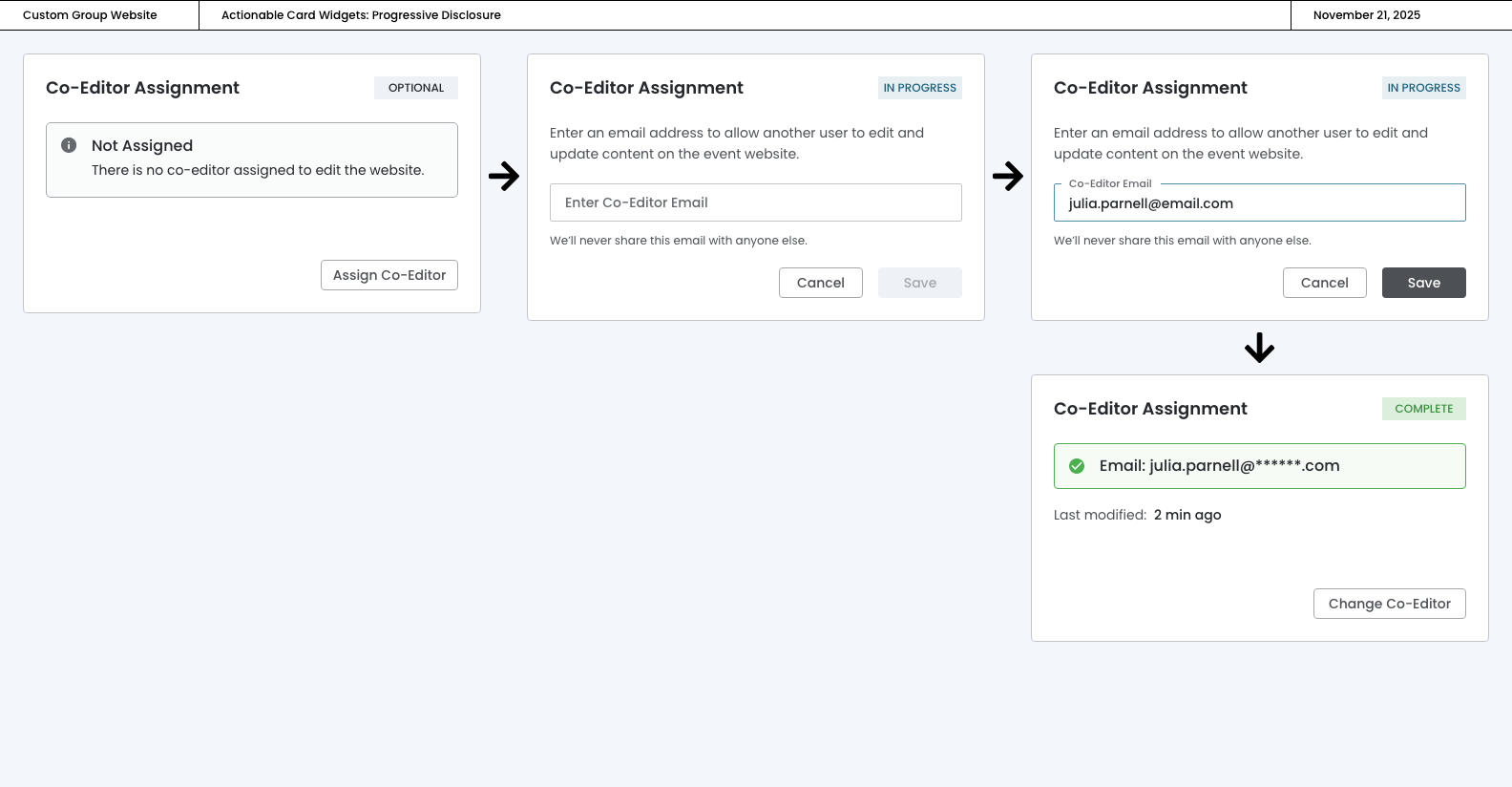
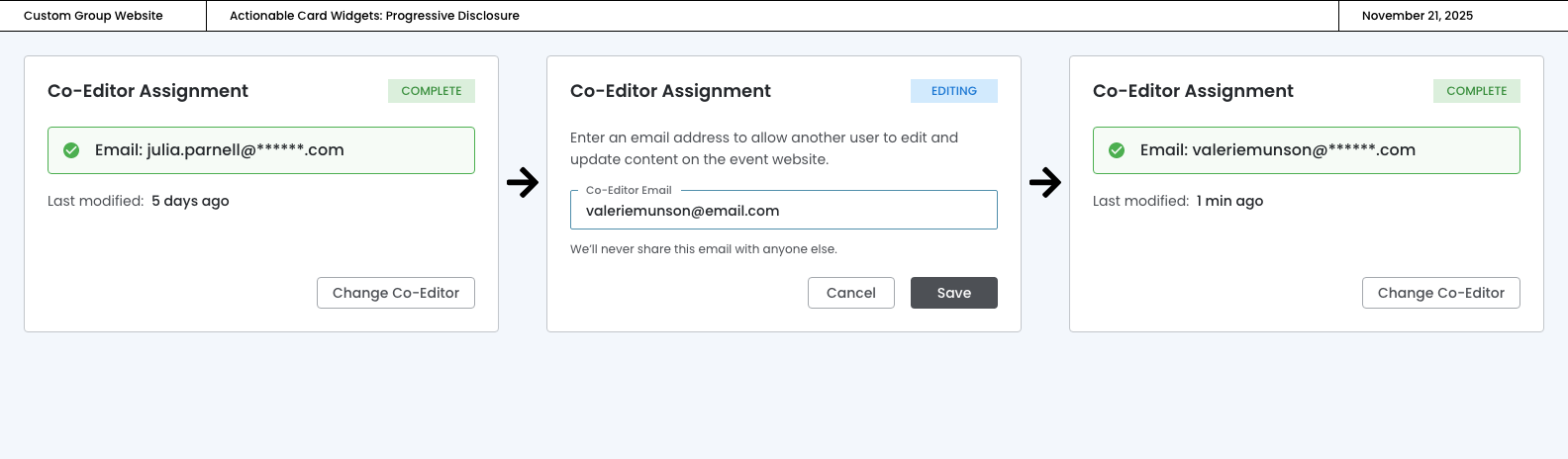
This card enables advisors to delegate website editing responsibilities to a colleague or client by simply entering their email address. Marked as "OPTIONAL" to signal it's not required for launch, the card reassures users with the privacy note "We'll never share this email with anyone else" directly in the interface.
Inline Workflow
The inline workflow progresses from empty state (disabled save button) to in‐progress (email entered, save enabled) to complete (confirmed email with timestamp and change option):
EDITING
November 20th, 2025
Invitation Code
Control Over Website Access
The Invitation Code card allows advisors to create a simple, memorable access code that travelers must enter to view the event website. Rather than forcing agents to invent codes from scratch, the card provides event-specific suggestions in the editing state, while also supporting fully custom codes.
Inline Editing
The inline editing experience—where agents can click a suggestion chip or type their own—eliminates friction and decision fatigue. Once set, the code displays prominently in the complete state with a timestamp, and agents can update it anytime with a single click.
Suggestion Chip

Type their Own
